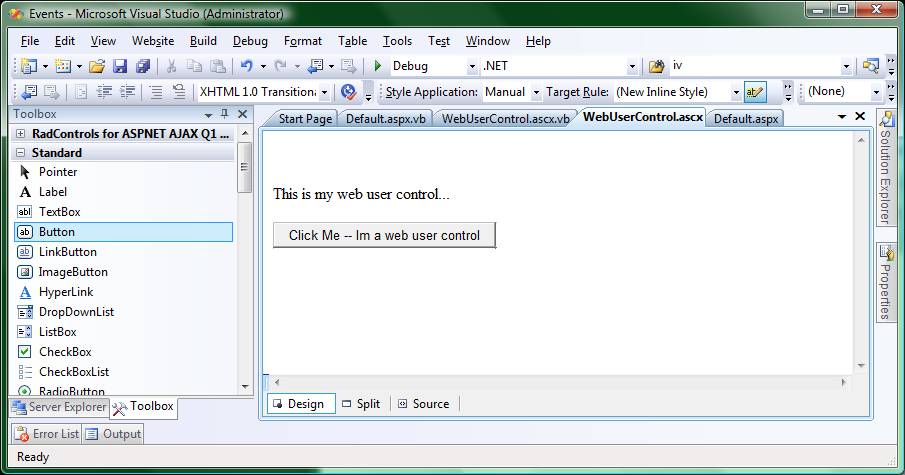
1: Add a WebUserControl to your Web Project. Add a button to the WebUserControl, as seen below…
2:
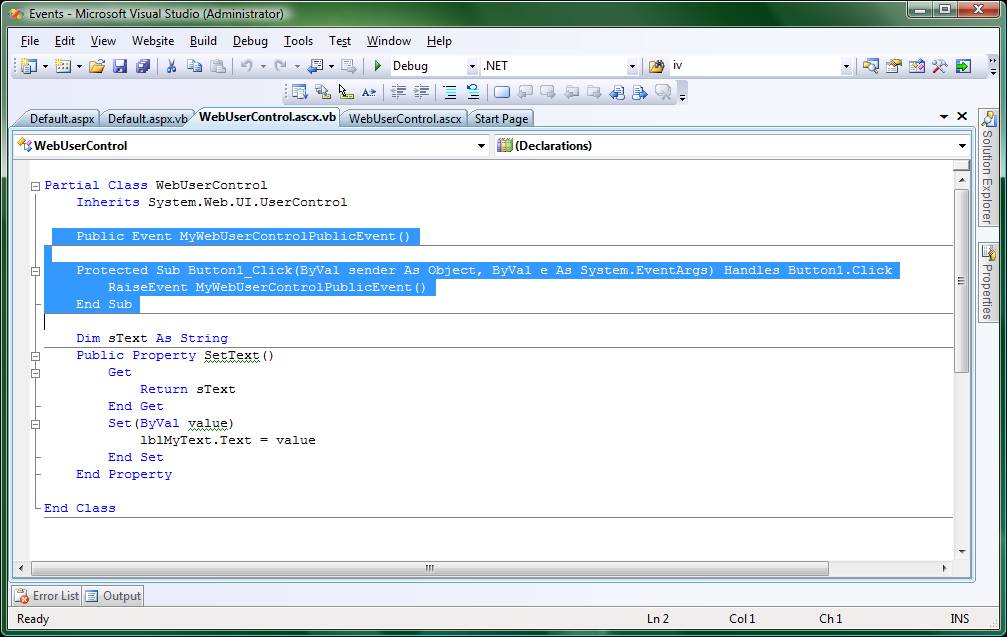
In the WebUserControl code behind, declare your custom event. In the
sample below I’ve declared: Public Event MyWebUserControlPublicEvent().
Then in the Button1_Click event of the WebUserControl, I’m Raising the
Event: “RaiseEvent MyWebUserControlPublicEvent()”
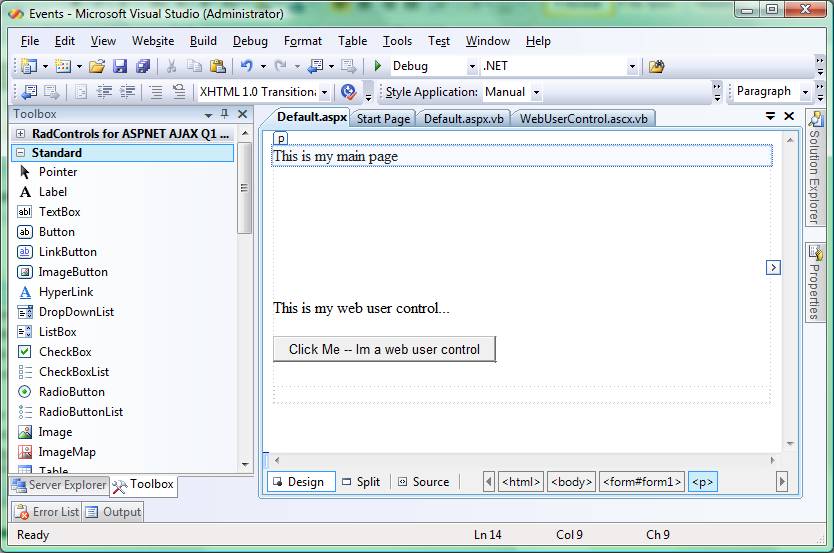
3: Drag and drop the WebUserControl onto your webpage Default.aspx page…
4:
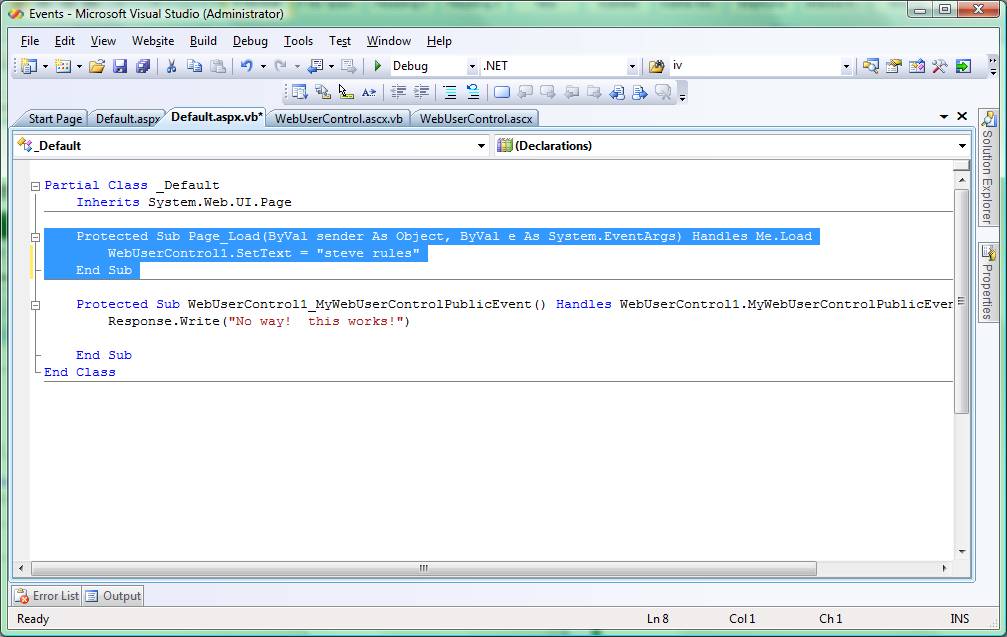
In the Default.aspx’s code behind, Select the WebUserControl1 from
the control drop down list, then select the event “MyWebUserControlPublicEvent”
from the Event’s drop down list…
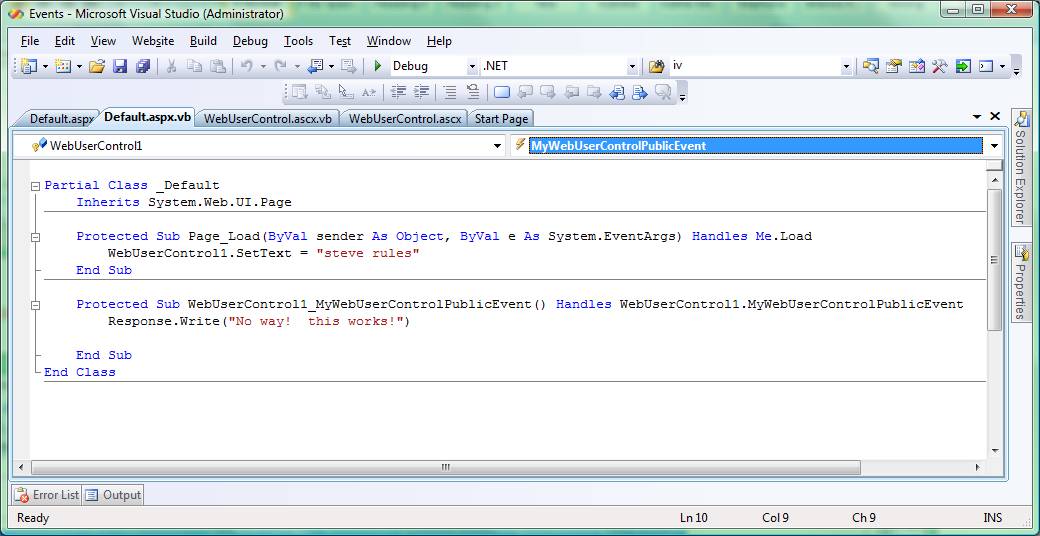
You can also
communicate with the WebUserControl using “Properties”…
Create the Property as deomonstrated below…
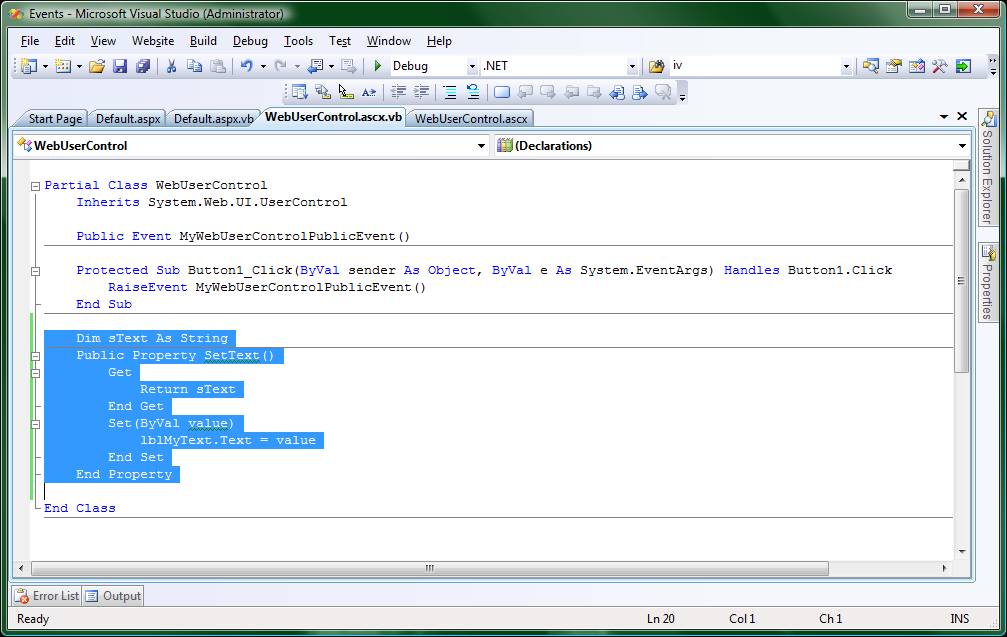
Call the property from the Default page, as demonstrated below…